
Digital lens measurement
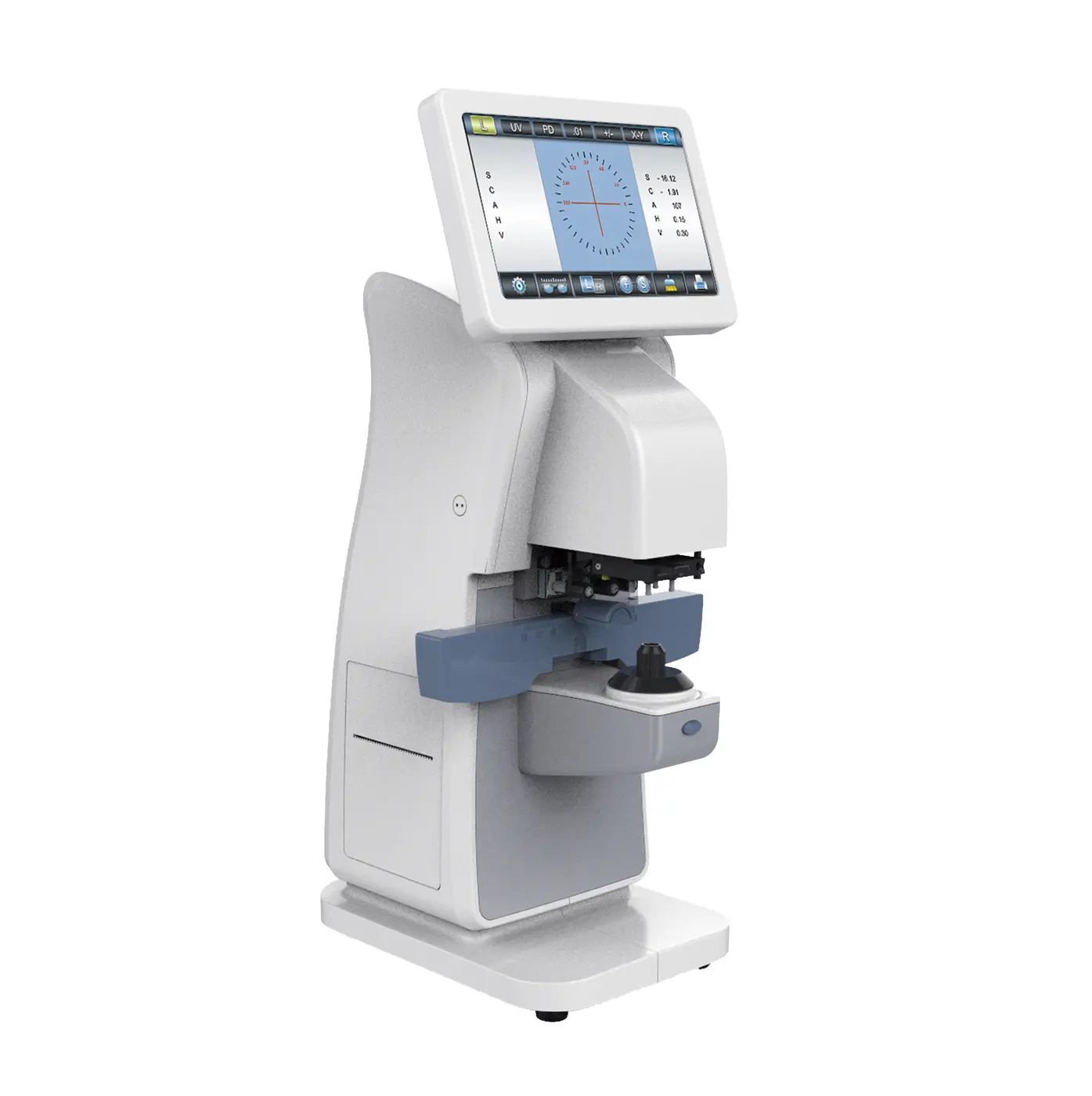
Auto LM-260Digital Lensmeter
Lens measurement for optical stores, clinics and laboratories. Review the workflow, compare touch-screen options and request a quotation for your market.
- Single-vision, bifocal, trifocal & progressive lenses
- PD, pupil height and UV / blue-light transmission
- 7-inch resistive touch screen & built-in printer
Start with one unit. Tell us your quantity and destination.
 AUTO LM-260
See it in operation
A closer look.
A clearer decision.
Explore lens positioning, PD and pupil-height measurement, UV / blue-light transmission and lens marking in a short equipment demonstration.
41-second demonstration · English captions · Silent demonstration · Click to load and play
Information you can work with
More than a lens reading.
Review the measurement functions that matter to your practice, laboratory or distribution order.
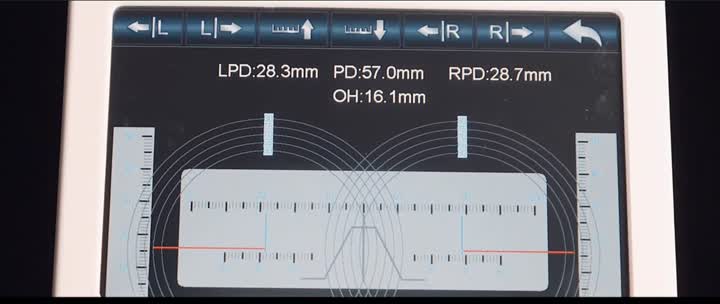
Mounted-lens measurements
Measure pupillary distance and frame pupil height alongside lens parameters. View the on-screen measurement layout in the demonstration.
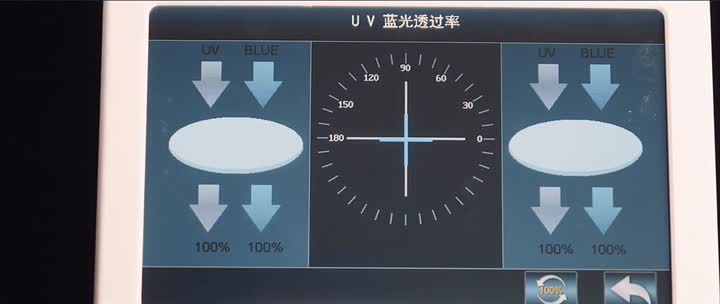
UV & blue-light transmission
Review UV transmission across a 0–100% range, with blue-light transmission measurement also supported.
Choose your touch screen
Auto or Pro?
The same measurement functions and technical specifications. The difference is the touch-screen technology.
Auto LM-260 selected for your quotation.
| Compare | Auto LM-260 | LM-260 Pro |
|---|---|---|
| Touch screen | Resistive | Capacitive |
| Screen size | 7 inches | 7 inches |
| Measurement functions | Same | Same |
| Technical specifications | Same | Same |
Select a model here to prefill the quotation form below.
Technical overview
The details, in one place.
Measurement range
| Sphere (SPH) | ±25 D |
| Cylinder (CYL) | ±10 D |
| Cylinder axis | 0–180° |
| Addition (ADD) | 0–10 D |
| Prism | 0–15 Δ |
| Cylinder-axis resolution | 1° |
| Prism resolution | 0.01 Δ |
| Reading steps | 0.01 / 0.06 / 0.12 / 0.25 D |
Features & interfaces
| Sensor | 150-point Hartmann sensor |
| Lens types | Single vision, bifocal, trifocal, progressive |
| Data interfaces | USB / RS232 |
| Wireless connection | Optional Wi-Fi / Bluetooth |
| Printer | 57 mm thermal printer |
| Contact lens measurement | Supported |
| Dot marking | Selectable dot pens |
| Light source | Green LED |
| Gross weight | 6 kg |
| Dimensions | 550 × 300 × 290 mm |
Confirm the final model, configuration and documentation with your quotation.
Purchasing & after-sales support
Clear terms.
Support beyond delivery.
Discuss the equipment, configuration and shipment together, whether you are purchasing for one practice or a distribution order.
Start with one unit
Our usual minimum order is one unit. Send quantities by model for multi-store or distribution quotations.
Plan your shipment
Orders are normally dispatched within one week after full payment. Confirm availability and lead time for your configuration. Freight is quoted separately.
Know your support options
One-year warranty, technical guidance and after-sales support. Replacement parts can be quoted after the warranty period.
Payment: 100% T/T in advance. Dispatch time is separate from transit time. Final terms are confirmed in your quotation.
Your next step
A quotation built
around your order.
Tell us your model, quantity and destination. We can discuss equipment pricing, freight and the documents needed for your market.
Before you enquire
A few practical answers.
Can I order just one unit?
Yes. The usual minimum order quantity is one unit. Include the model and your delivery destination so equipment and freight can be quoted.
What is the difference between Auto and Pro?
The Auto LM-260 has a resistive touch screen; the LM-260 Pro has a capacitive touch screen. Their measurement functions and technical specifications are the same.
Can I request documents for my market?
Request the model-specific technical sheet and available certificates for your destination. Document availability and suitability should be confirmed for the selected model and market.
Does the quotation include shipping?
Freight is quoted separately according to destination, shipment size and shipping method. Include your delivery city or port with the enquiry.